Why skip bank linking?
Linking your bank is convenient: transactions show up by themselves. But you pay for that convenience in ways that are easy to miss.
- Your bank login stays yours. Linked apps usually connect through a third-party data aggregator that keeps ongoing access to your transaction history. Pennydance has no such connection to leak, sell or forget to revoke.
- Nothing breaks. Bank connections drop when a bank changes its login flow or a token expires, and you're left with a gap and a “re-link your account” banner. Logging by hand never needs re-linking.
- Cash counts. A bank-synced app only sees what goes through the bank. Cash, gift cards, and your half of a shared bill never show up. In Pennydance a cash coffee is logged exactly like a card one.
- You see what you bought, not a merchant code. A statement says “SQ *CORNER MKT 4471.” Your Pennydance entry says “Sourdough, Corner Market, $5.99,” with a photo if you want one.
- You notice your spending. Those three seconds of typing are the moment you actually register the purchase. That's the whole point of tracking.
Logging by hand, in about three seconds
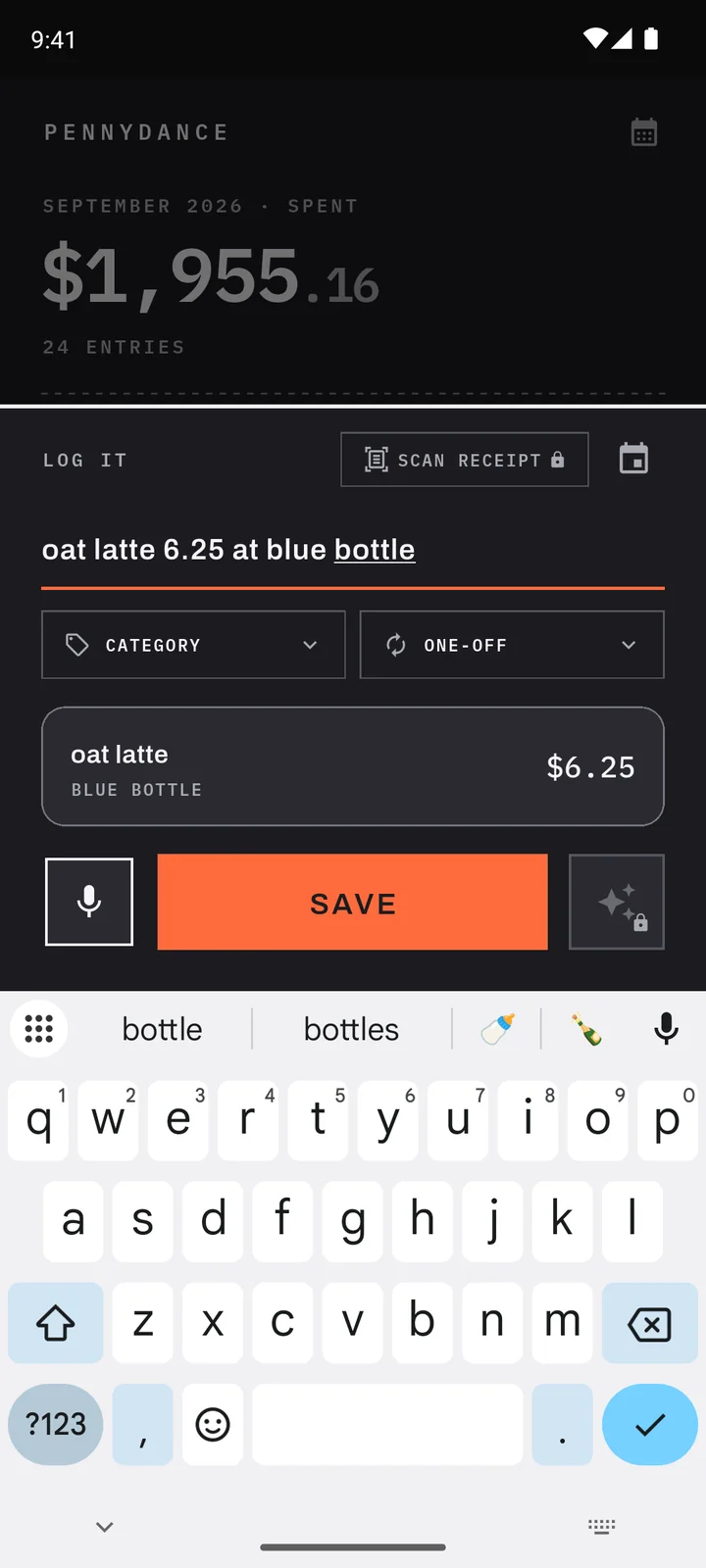
- 01 · Type or say it“oat latte 6.25”Quick add pulls out the item and the price as you type. Or tap the mic and say it.
- 02 · Add what mattersStore, tax, photoSales tax, cashback and card promos are built in. With Plus, snap a photo of what you bought.
- 03 · See where it wentReports & calendarSpending by category, day and month, free. Search anything you bought, months later.
Bank-linked tracker vs. Pennydance
| Typical bank-linked app | Pennydance | |
|---|---|---|
| Needs your bank login | Yes, usually through an aggregator | Never |
| Cash purchases | Only if you add them by hand | Logged like any other buy |
| What an entry shows | The merchant name from your statement | The item itself, with an optional photo |
| Where your data lives | The company's servers | Your phone |
| Ads and offers | Common in free apps: card and loan offers | None, and no ad SDK in the app |
| Effort | Automatic, then review and re-categorize | About three seconds per buy |
What you give up
Being straight about it: if you don't log a purchase, it isn't there. Pennydance won't catch a charge you forgot. It also doesn't show account balances, net worth or investments, because it never sees your accounts.
If you want every transaction to appear by itself, a bank-sync app is the better fit, and that's a fine choice. Pennydance is for people who would rather spend three seconds per buy than hand over a bank login.
Questions
Is it safe to use a budgeting app that links to my bank?
Reputable apps connect through regulated data aggregators with read-only access, and many people use them without trouble. The trade-off is that a company outside your bank keeps ongoing access to your transaction history. If you would rather not grant that, a manual tracker like Pennydance avoids it entirely.
Does Pennydance work offline?
Yes. Your ledger lives on your phone, so logging, browsing, search and reports all work without a connection. Only the Premium AI features and the in-app problem report need the internet.
Can I import my bank statement or a CSV?
Not today. Pennydance is built around logging as you spend, so it has no statement import. It does export everything to CSV, any time, on every plan.
More answers on the home page FAQ.